Learn how to manually add the Loox Reviews Widget to your store using liquid code if you can't add it via app block.
When to add the Reviews Widget via code vs. via app block
You might need to add the widget via code if:
1. you're on a vintage (non 2.0) theme.
2. you're on a 2.0 theme but want to add the widget in a location where you can't use the Loox app block. For example- if you want to add the widget to a custom snippet, a collection card, or the cart drawer.
If you're on a 2.0 theme and have the option to do so in the location you want, use the Loox Reviews Widget app block instead - it's easier to customize, and it's the only way for AI assistants to read your reviews. Read more about adding widgets via app block.
Adding the widget via custom liquid block
Before adding the widget via liquid code, check if your theme supports custom liquid blocks in the location where you're looking to add the widget. This will make it easier for you to access and customize the code.
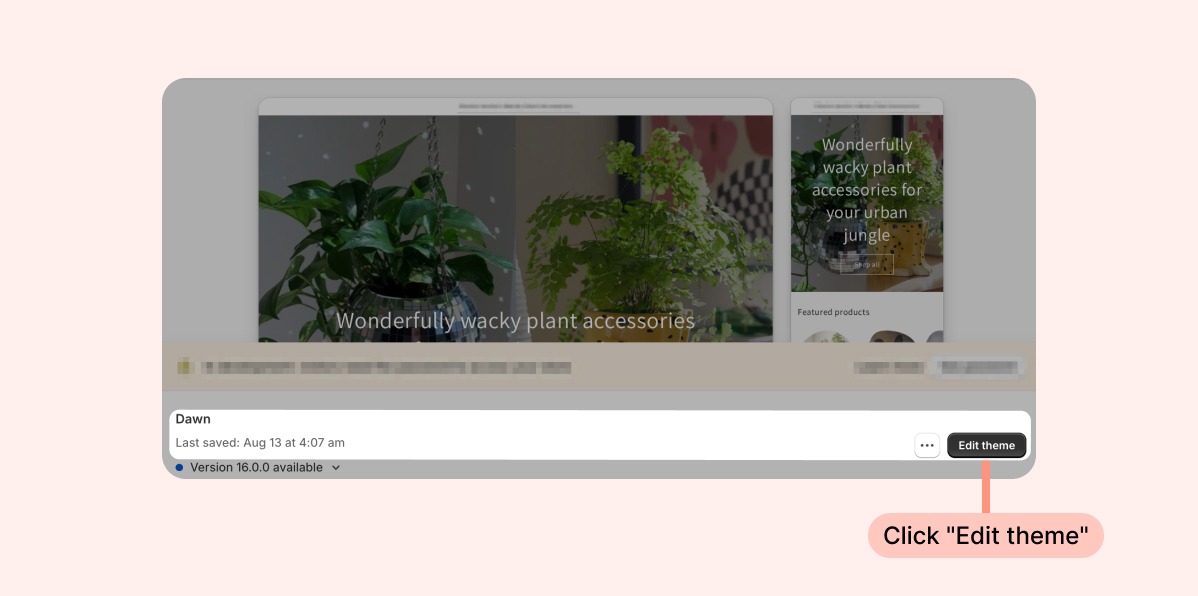
- Inside the Shopify Themes menu, click Edit theme:
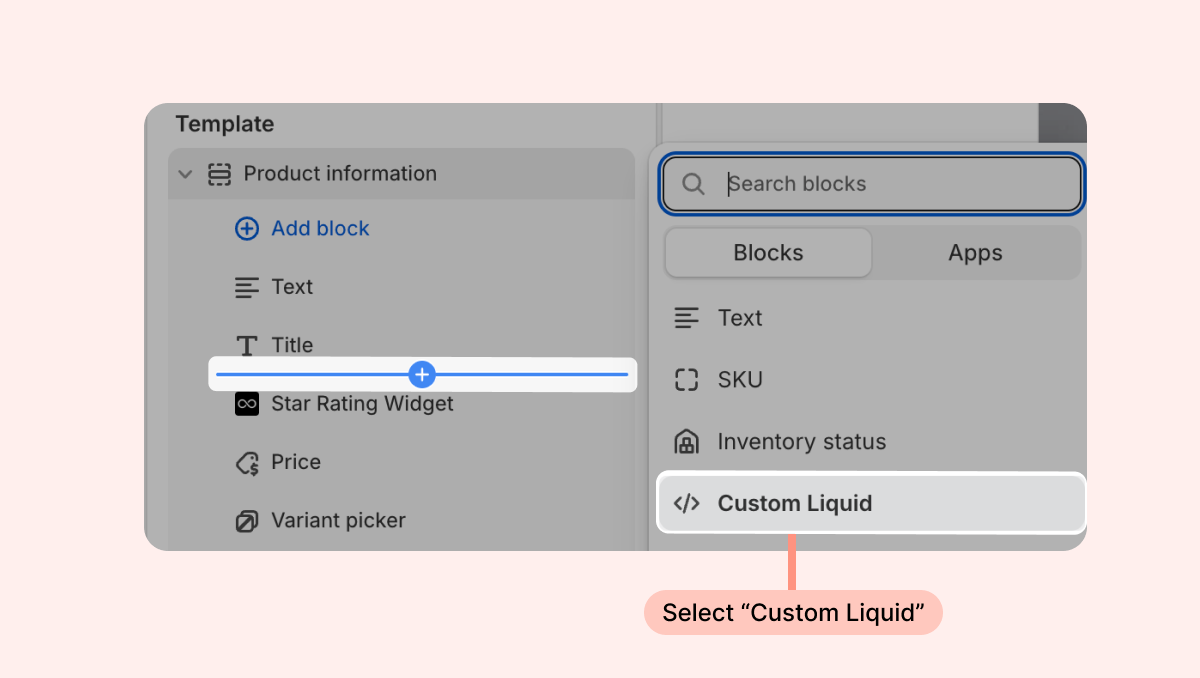
- Head to the page you're looking to work on and click the + in your desired location on the left-hand sidebar to add a new section. Under Sections, search for "Custom Liquid." If it appears, select this option.
- Next, add the following code snippet to the section's Liquid Code:
<div id="looxReviews" data-product-id="{{product.id}}" class="loox-reviews-default">{{ product.metafields.loox.reviews }}</div>- If you don't have the option to use a custom liquid section in the spot you're looking to add the widget, follow the instructions below on how to add the widget via liquid code.
To manually add the Reviews Widget via code:
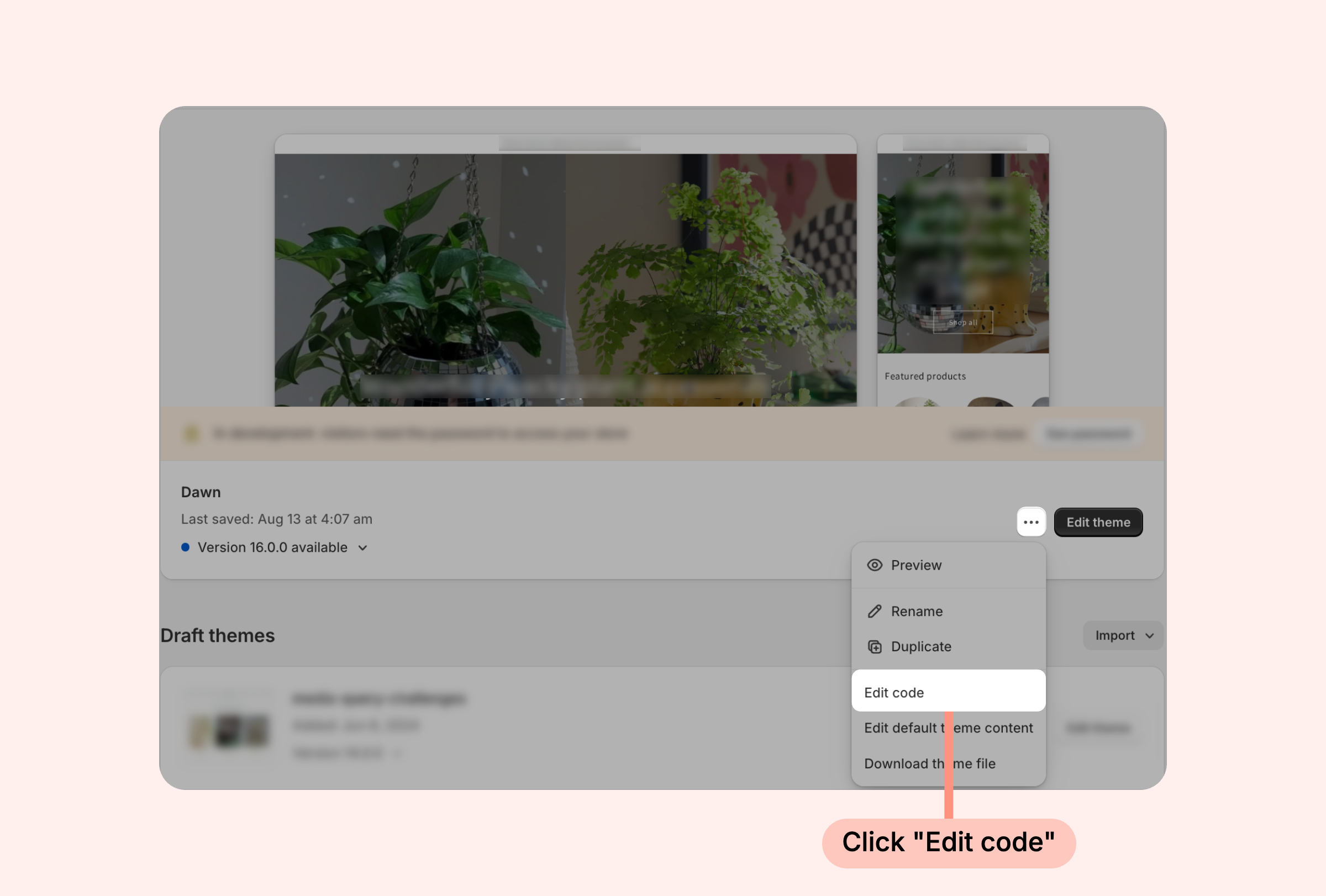
- Inside the Shopify Themes menu, click the “... ” button next to “Edit theme” and select Edit code:
- Open the template or section where you want to add the widget (for product pages, the file is usually called: product.liquid / product-template.liquid / product-page.liquid / product-main.liquid).
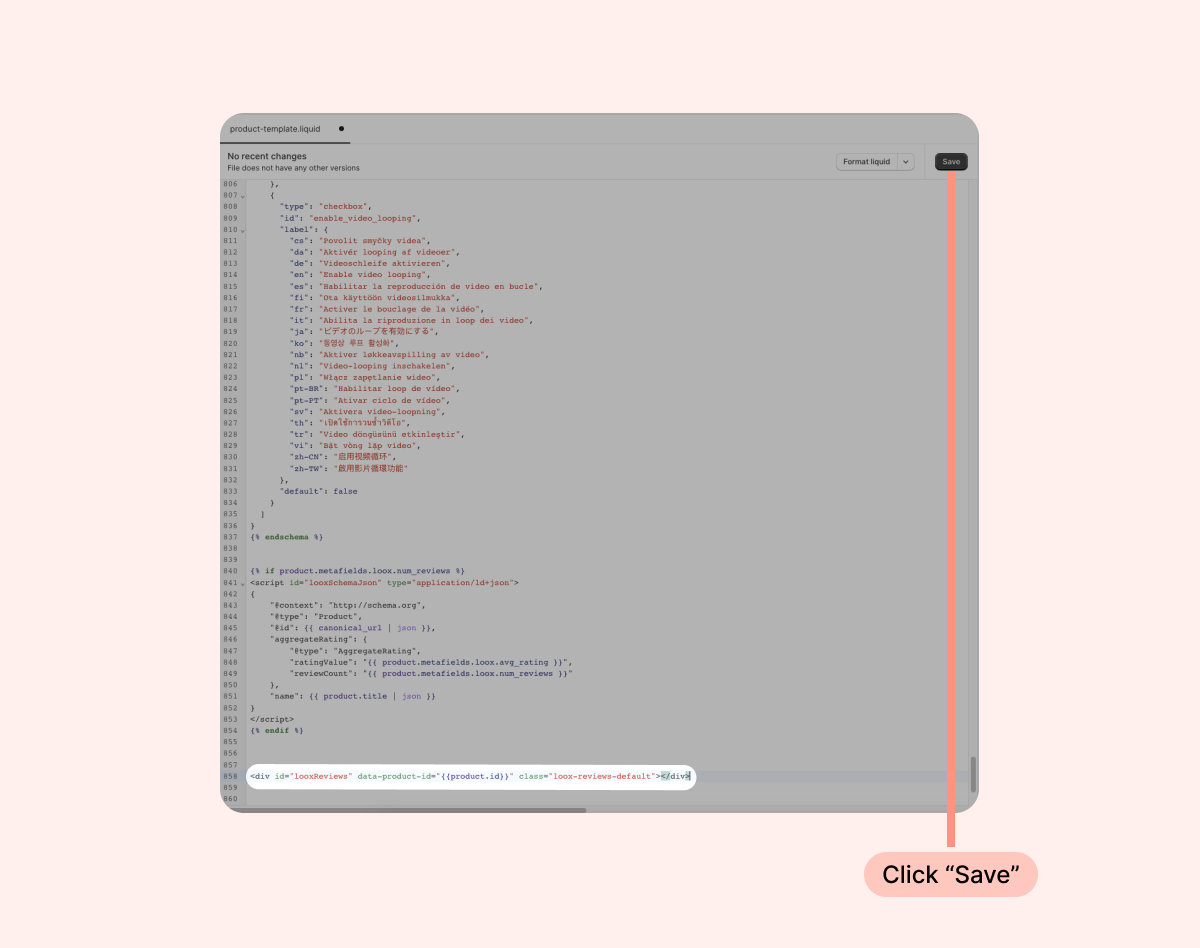
- Copy the line of code below and paste it where you would like the widget to appear:
<div id="looxReviews" data-product-id="{{product.id}}" class="loox-reviews-default">{{ product.metafields.loox.reviews }}</div>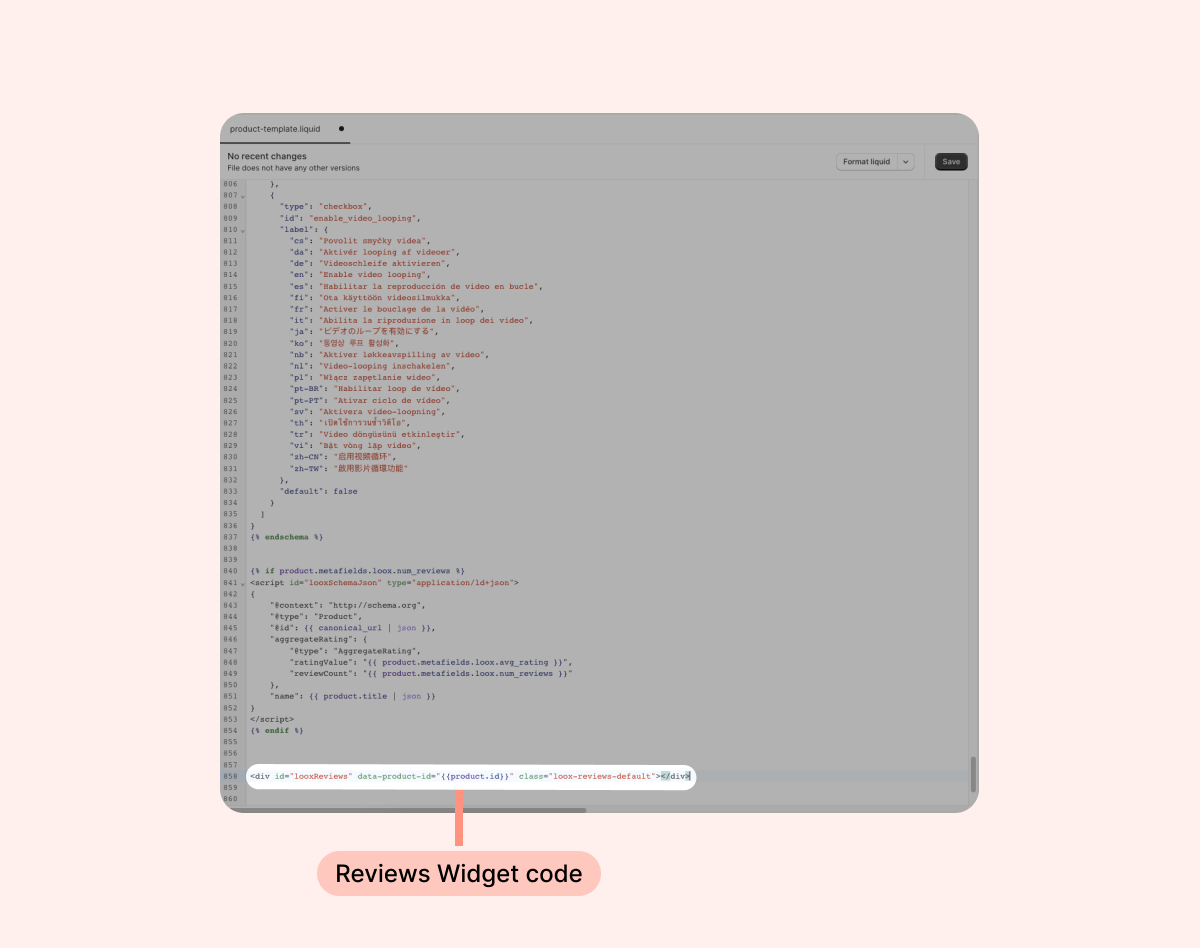
- Click Save: