After installing Loox on your store and completing its onboarding process, we will send review request emails, as well as other emails, to your customers on your behalf, based on your chosen settings.
This article explains how to put an immediate pause on all Loox review emails.
Review Request Emails
Important: Disabling review request emails means customers will no longer receive emails from Loox asking for reviews. We suggest adjusting the timing of these emails instead of stopping completely.
To stop Loox from sending Review request emails:
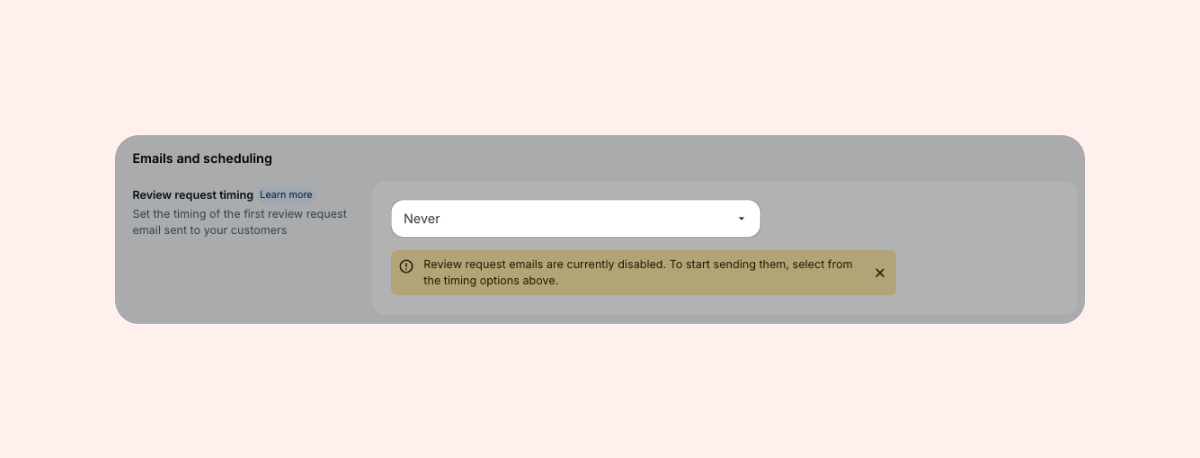
- Within "Collect Reviews", go to "Emails and scheduling".
- Set Review request timing to "Never".
Review Reminder Emails
Review reminder emails are sent to customers who received a review request email but did not submit a review.
To disable review reminder emails:
- In your Loox admin, go to Collect reviews > Emails & Scheduling.
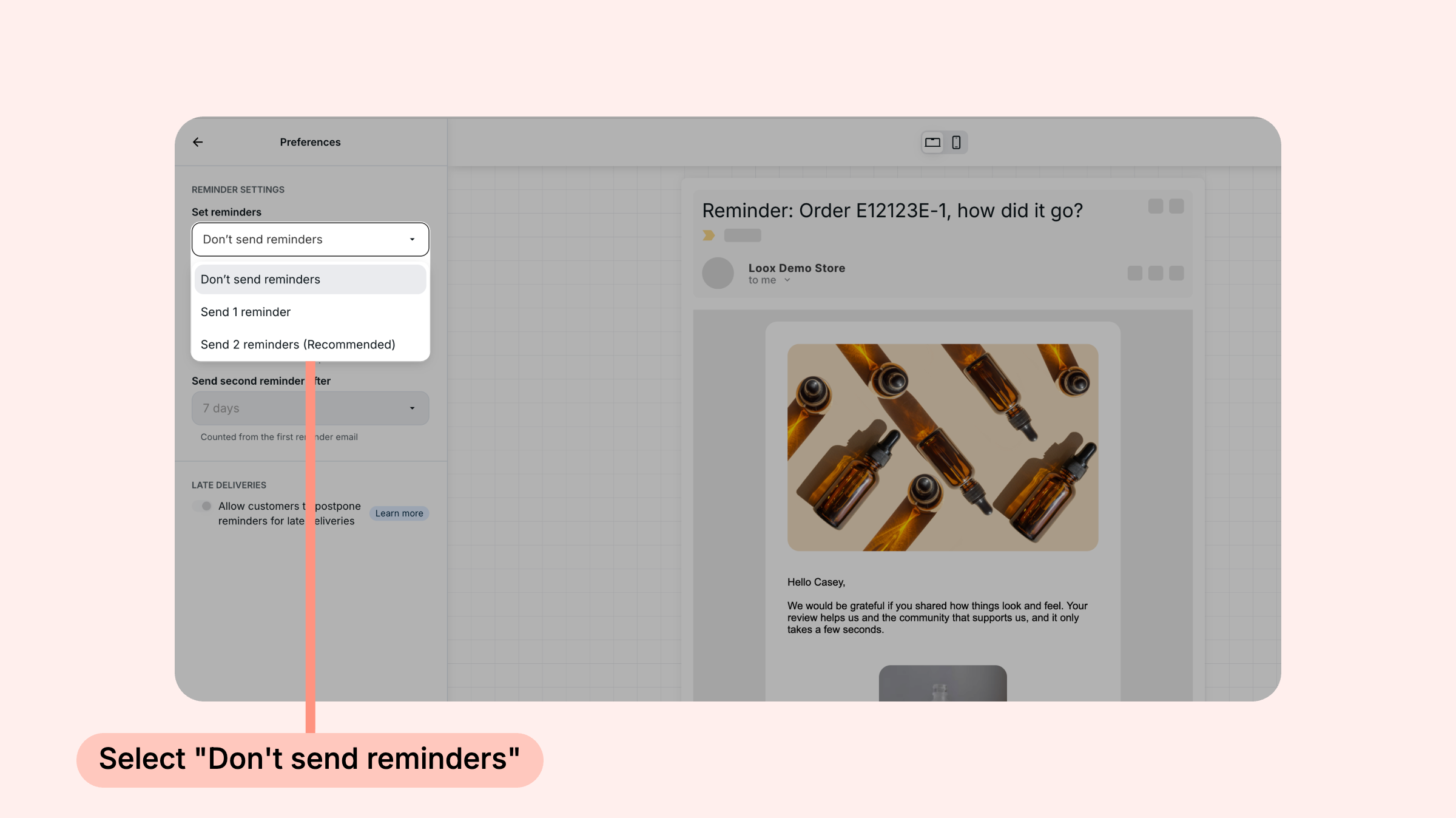
- Next to Review request reminder, click Edit, then open Preferences.
- Under Set reminders, select Don't send reminders.
Photo/Video Reminder Emails
Photo reminder emails are sent to customers who submitted a text-only review, prompting them to add a photo or video to their review.
To disable photo/video reminder emails:
- In your Loox admin, go to Collect reviews > Emails & Scheduling.
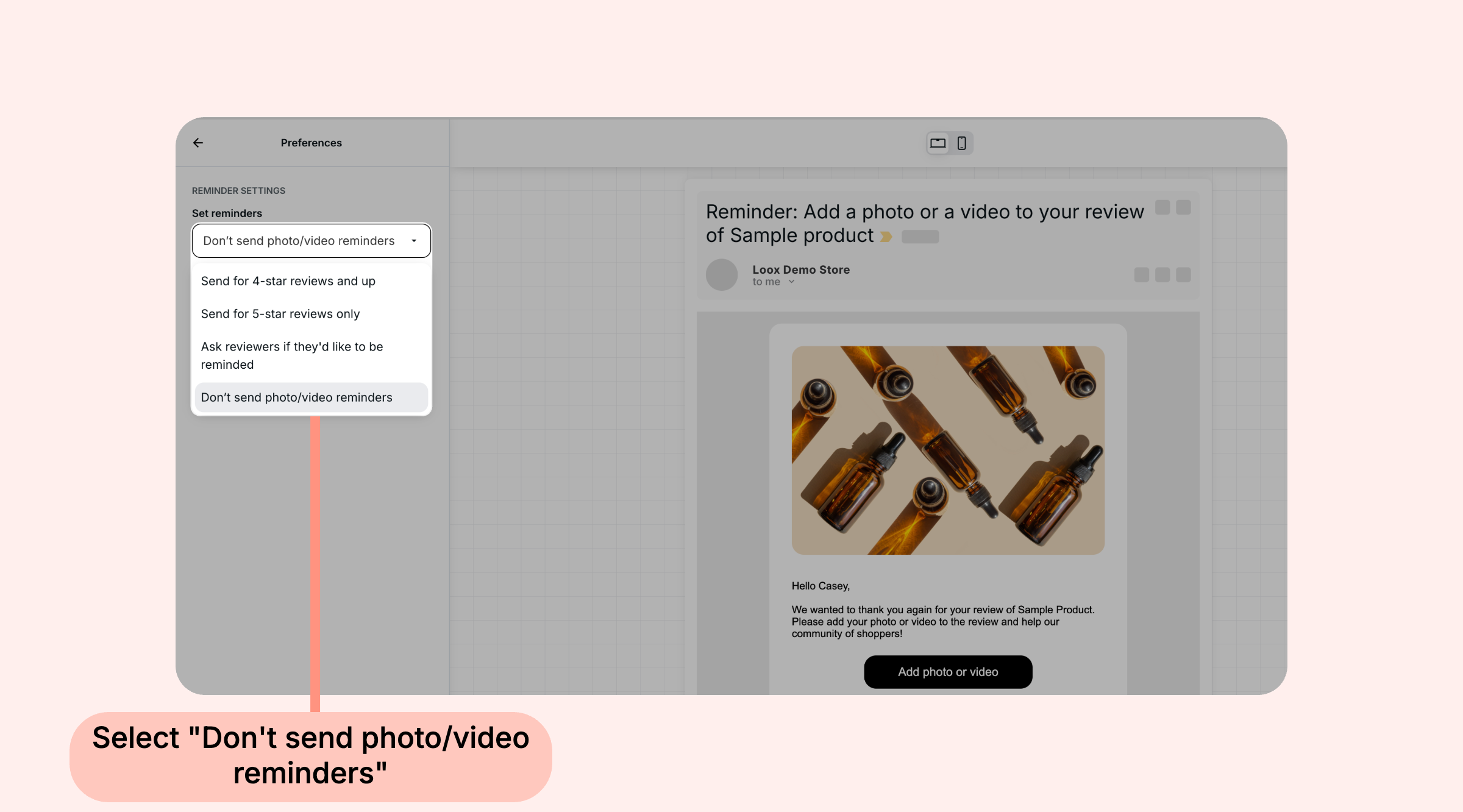
- Next to Photo/video reminder, click Edit, then open Preferences.
- Under Set reminders, select Don't send photo/video reminders.