
Loox Referrals are available on the Convert Plan and up. Click here to upgrade your plan
Increase traffic and sales by incentivizing your customers to refer family and friends using Loox Referrals.
Overview
Loox Referrals offers three ways to turn your customers into brand advocates.
Post-Purchase Referrals Widget:
The Post-Purchase Referrals Widget is displayed on your customers' order summary page after checkout. Learn more.
Post-Review Referrals Widget:
The Post-Review Referrals Widget is displayed right after a customer submits a review. Learn more.
Onsite Referrals Widgets:
The Onsite Referrals Widget can be displayed on any store page to encourage visitors to become advocates. There are two different Onsite Referrals Widgets: the Referrals Sidebar Widget and Onsite Referral Widget. Learn More.
Referrals performance
You can track your referrals engagement and the revenue generated on your Loox Homepage.
- Orders: The number of orders from your store that came through referral links.
- Revenue: Revenue collected from orders that used discounts given from a referral.
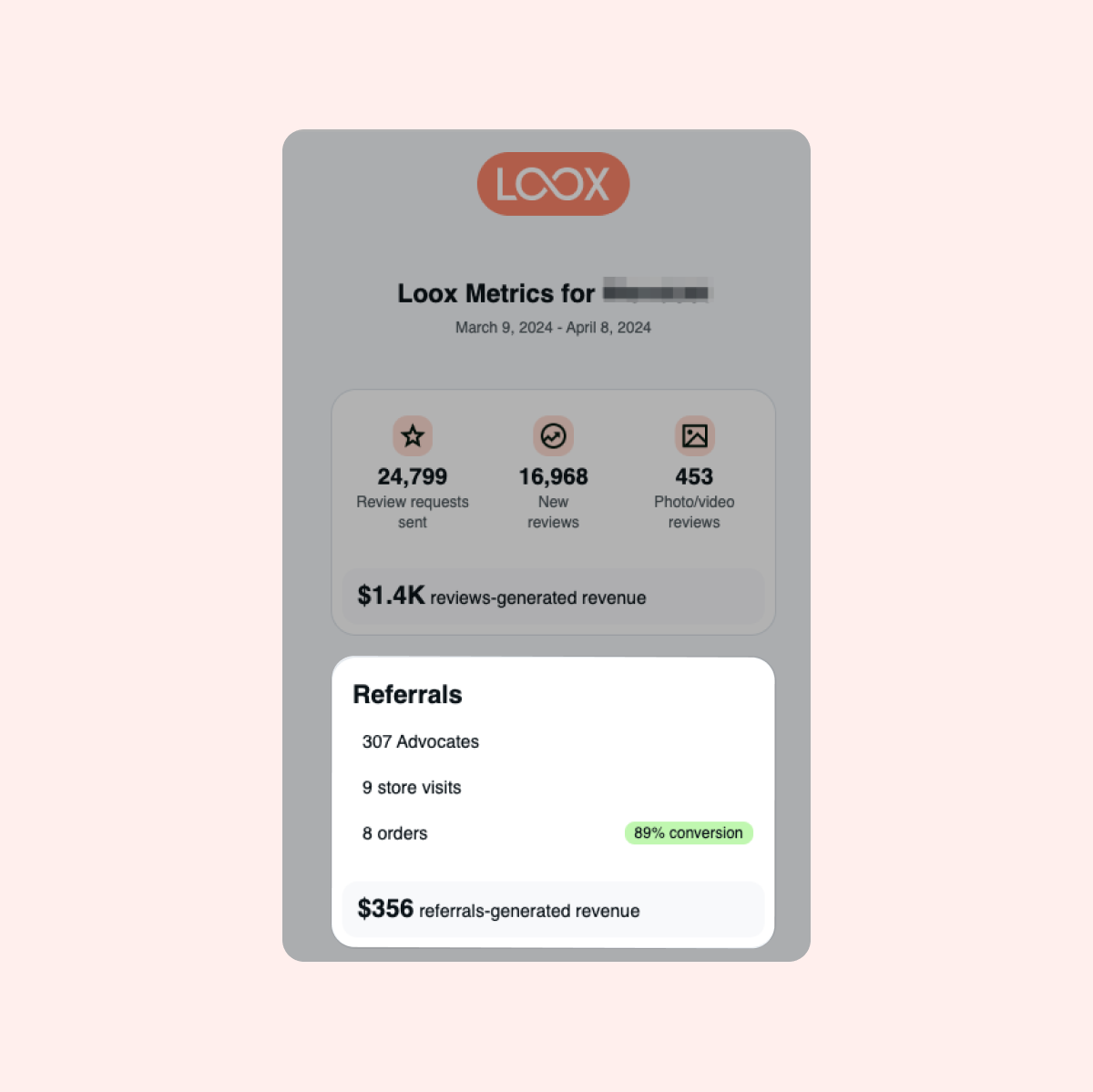
Your referrals performance will also be reflected in your monthly Loox Metrics email.
Fraud protection
Use our fraud protection settings to protect your referral program from misuse.
To manage fraud protection:
- Head into your Loox admin under Referrals > Preferences > General.
- Under “Fraud protection”, toggle on or off each fraud protection setting.
Fraud protection settings
Prevent advocate self-rewards
If the advocate uses their own referral link, the discount will be applied to their purchase, but they will not receive the advocate reward.
The details tracked for this setting are:
- Email - including basic variations of the same email (for example, adding "+1")
- IP Address + User-Agent
- Shopify's customer ID
An advocate will only receive their reward if the friend purchases directly through the link they shared and only once their friend's order is fulfilled, based on our terms of service.
30-second redeem delay
After an advocate shares the discount link, a 30-second delay is added before the discount code can be used, preventing situations where advocates will redeem their own link immediately after its creation.
Limit discounts to new customers only
If the referred customer previously shopped in your store, the discount code will not apply.
Prevent self-referrals
The discount will not be applied if any of the customer's information matches the advocate's details listed below:
- IP Address
- User-Agent (device)
Note: If your advocate didn't receive their reward, make sure their friend's order is over the minimum purchase amount and has been marked fulfilled.
Syncing your Loox advocates to Shopify's Customers menu
View and track your Loox advocates' order history and the amount they spent on your Shopify Customers menu.
By default, our Post-Purchase Referrals Widget will automatically sync advocates with Shopify's Customers menu.
To sync your Onsite Referrals advocates with your Shopify Customers tab:
- Head into your Loox admin under Referrals > Preferences > General.
- Under “Sync advocates to Shopify,” enable "Add onsite advocates to customers list."
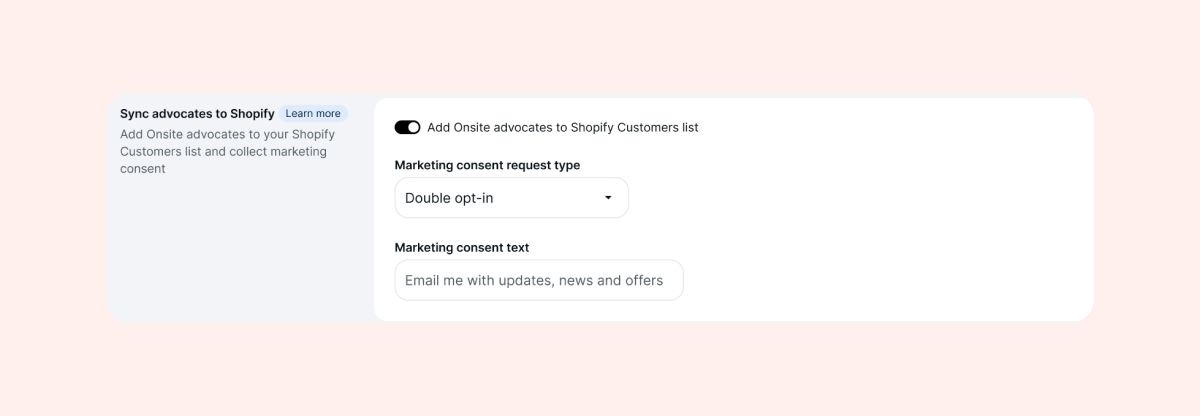
Once enabled, we will sync all new advocates from your Onsite widgets. All existing advocates before this adjustment will not be reported.
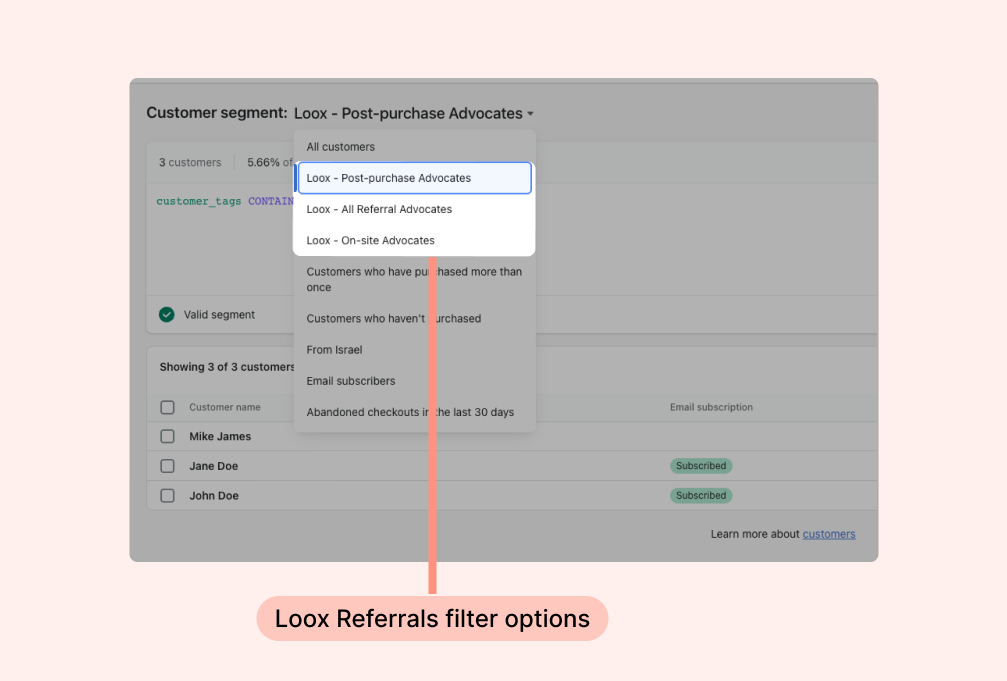
You can filter your advocates based on three different options on Shopify Customers:
- Loox - Post-purchase Advocates: Shows all advocates who came through the Post-purchase Referrals Widget
- Loox - Onsite Advocates: Shows all advocates who came through your Onsite Referrals Widgets
- Loox - All Referral Advocates: Shows all of your Loox advocates
Note: Advocates who sign up for your Loox referrals program will only be tagged in your Shopify Customers Tab after a successful referral was made with their advocate link.
Social media image
Add a unique image to your referral links. The image will appear on your advocates' links when they are shared on social media.
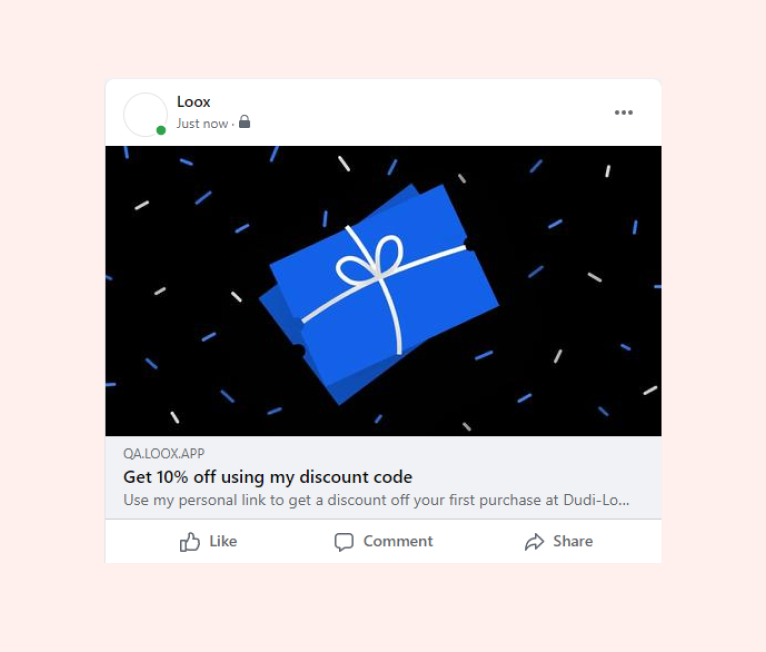
To add a social media image:
- Inside the “Referrals” settings section, go to Preferences > General.
- Upload an image under “Social media image”
Note: Discount codes generated automatically using a Loox Referral widget can only be used on one-time purchases.
Referrals advocates
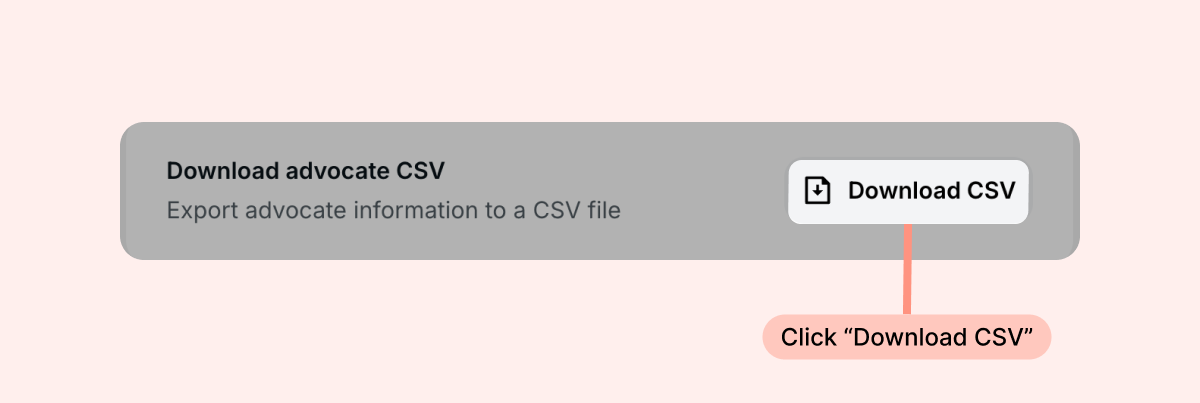
You can keep track of all the advocates who sign up for your Referrals program by downloading the Advocate CSV from your admin under Referrals > Preferences > General:
The document contains the following data:
| Column name | Description | Example of CSV value |
|---|---|---|
| creation_date | The date the advocate joined the store’s referral program | 2022-09-08 |
| advocate_id | The referral ID (ID on the referral object) | 4y5_C6zlT |
| name | The advocate’s name | John Smith |
| The advocate’s email | [email protected] | |
| channel | The referral channel the advocate joined through | on_site / post_purchase |
| marketing_consent | The advocate’s marketing consent | true / false |
| discount_code | The discount code the advocate shared | LXZ-3Y6V71P |
| discount_display | The type and amount of discount offered to referred customers | 10% / €5 |
| number_of_referrals | The number of orders that were generated by the advocate | 10 |
| referred_order_ids | IDs of orders that were generated by the advocate | https://STOREURL.myshopify.com/admin/orders/4903399588084 |
| advocate_balance | The advocate’s current reward balance | 40 |
| reward_offered | The amount that was offered to the advocate per referral (this reflects your offer from when the advocate signed up, not necessarily your ) | $35 / €35 |
| reward_discount_code | The discount code the advocate can use to redeem their reward | LXR-38ZSL6L |
| referral_link | The unique link the advocate shares | http://loox.io/z/4y5_C6zlT |