
Take full advantage of the reviews you collect by setting up tailor-made automated workflows that are triggered once a review has been submitted with Loox using Shopify Flow.
Available to merchants subscribed to the following Loox and Shopify plans:
- Loox - Convert Plan and above.
- Shopify - Shopify, Shopify Plus, or Shopify Advanced plans.
To use Loox as a trigger in Flow:
- Inside the Loox App's "Settings - Integrations" menu, go to "Shopify Flow" and click "Manage."
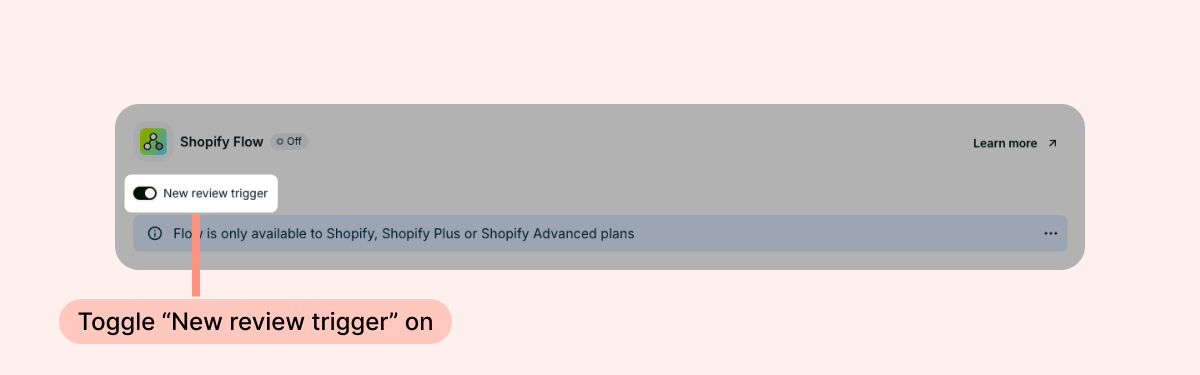
- Toggle "New review trigger" on.
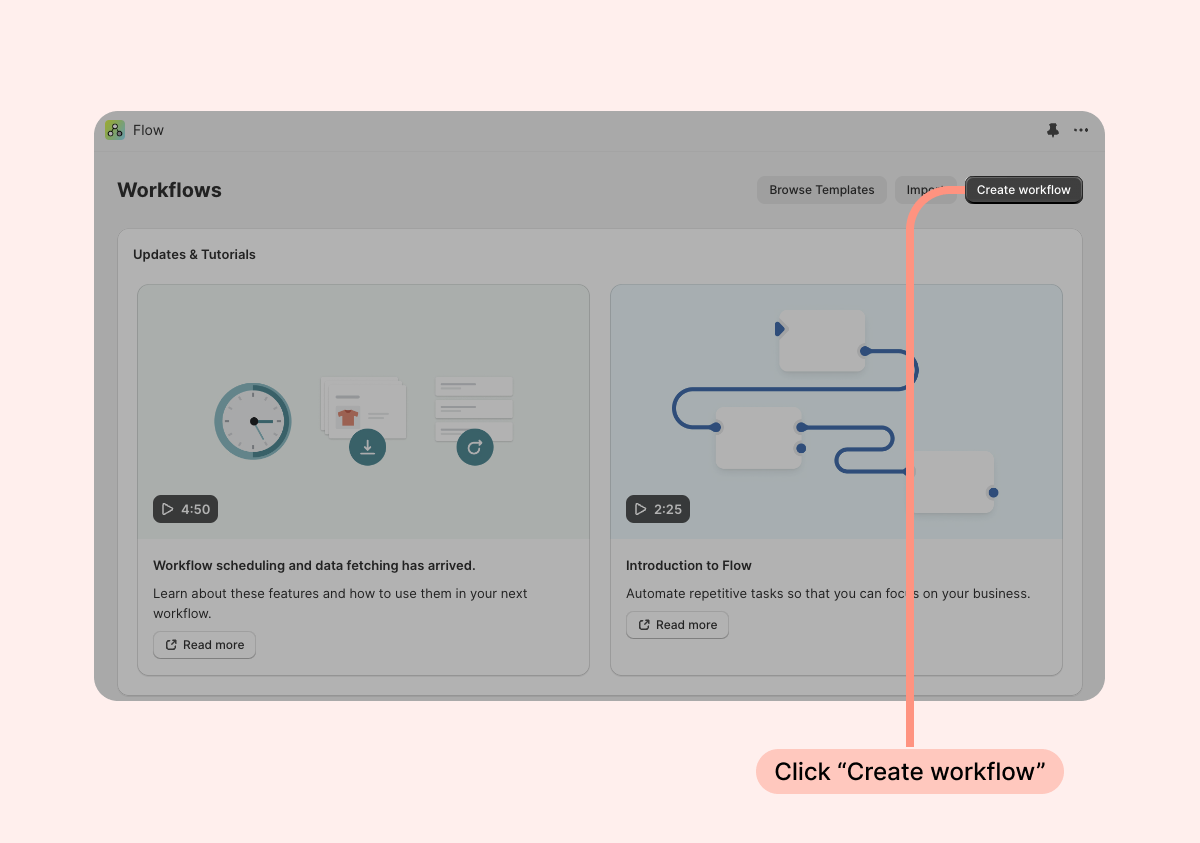
- In the Shopify Flow app, create a new workflow.
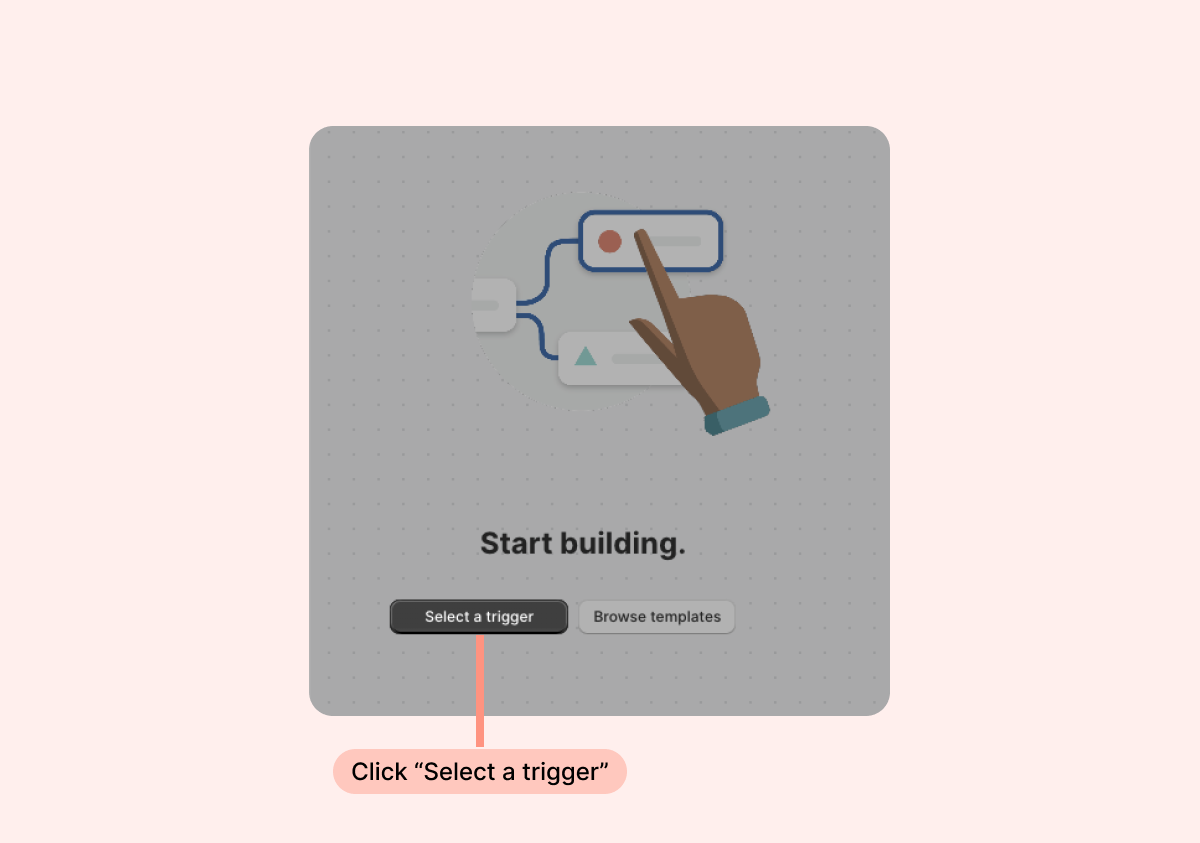
- Click "Select a trigger".
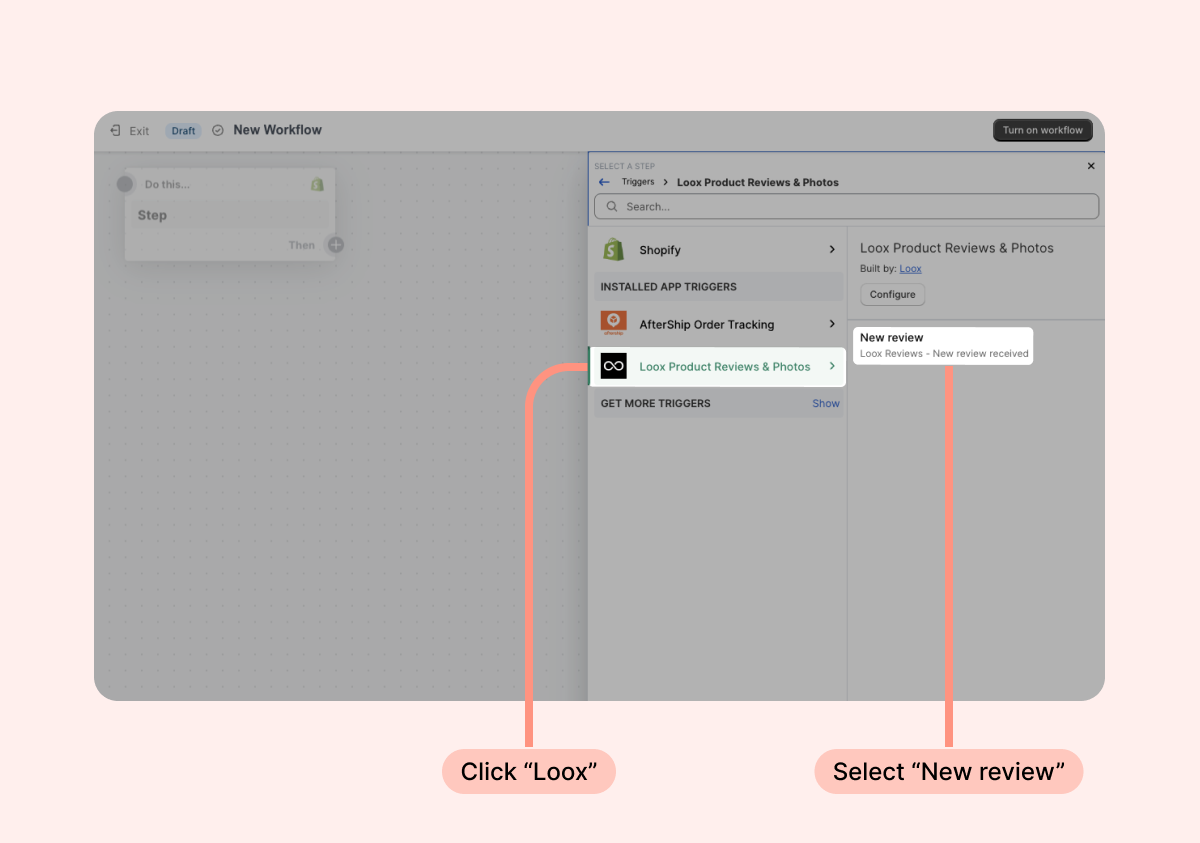
- Click "Loox Product Reviews & Photos" and select "New review" as your trigger.
- Click "Turn on workflow" to save your new flow and activate the automation.
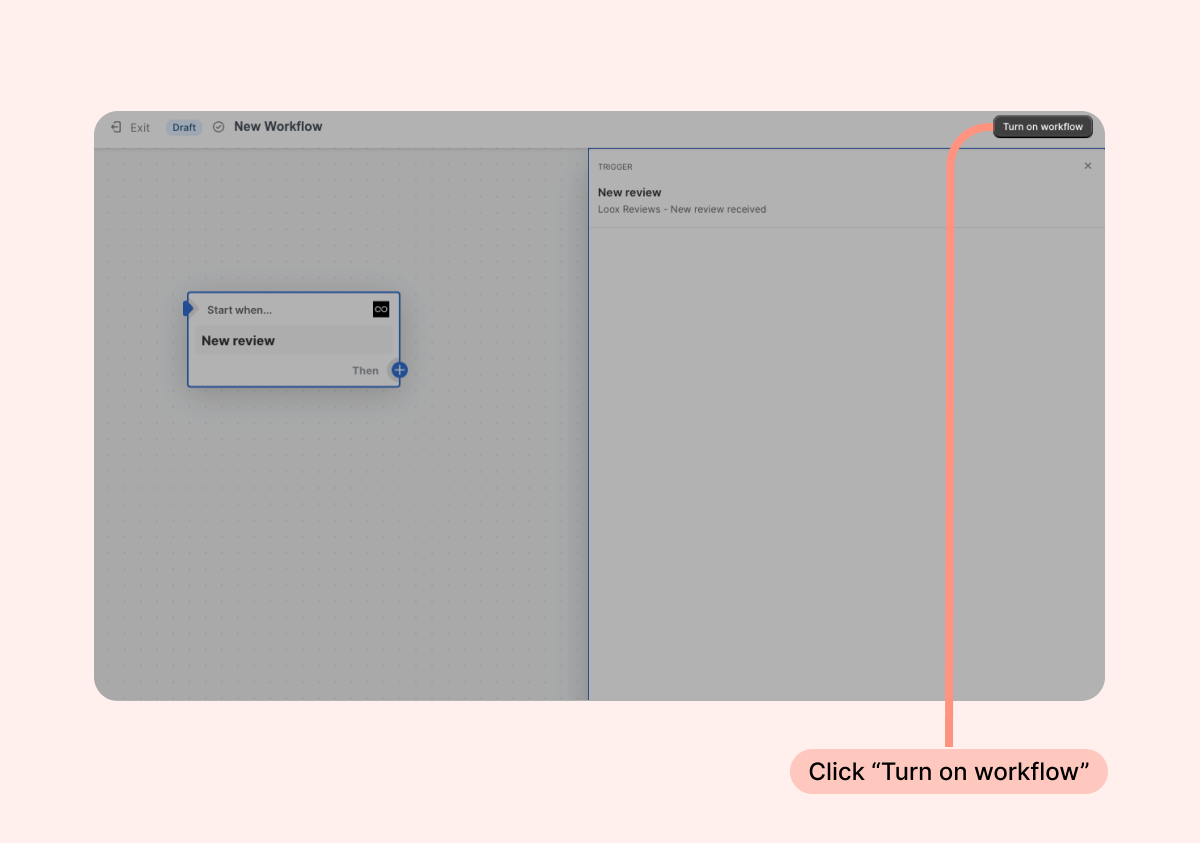
The Loox trigger "New review" contains the following data attributes:
- Review date - The date the review was submitted.
- Rating - The value of the rating given by the reviewer.
- Author - The reviewer's name.
- Email - The reviewer's email address.
- Review body - The written review text submitted by the customer.
- Photo URL - The URL of the user-generated content attached to the review.
- Order ID - The order ID of the reviewer's associated order relevant to the review.
- Product ID - The Shopify ID of the product.
- Product title - The name of the product.
- Product URL - The URL of the product's product page.
Here are some ways that you can use Shopify Flow with Loox:
- Set up a Flow that connects to an email system of your choice (that also connects to Flow) to send different thank you emails based on the review's rating (which is data that's included in the Loox trigger).
- If you work with a loyalty program that doesn't already integrate with Loox but does integrate with Flow, you can set up a flow so that when a customer submits a Loox review, they get loyalty points on your other app.
- Tag a customer with "NOREVIEW" on Shopify after they submit their first Loox review so that repeat customers don't get future review request emails.
- Create a ticket in your customer support app when you receive a review.
- Track product reviews by creating a line in Google Sheets.
This is only a small list of the many things you can achieve with the Shopify Flow integration! Feel free to reach out to our support team at [email protected] if you need to consult about a potential flow.
