
If your store operates in multiple languages, Loox allows customers to view Loox elements in their preferred language. This feature ensures that Loox widgets and communication match the language the customer selects.
How Multilingual Support works
- Customers can choose their preferred language using the language selector on your store
- To add a language selector to your store, read Shopify's guide
- Loox elements (widgets, buttons, review form, and emails) are translated into the selected language
Note: Multilingual translations aren't available for the Sidebar Widget or the Carousel Widgets
- Reviews remain in their original language and are not translated by Multilingual Support
Tip: To translate your customer reviews, read Automatically Translating Customer Reviews
Using Multilingual Support
How to enable Multilingual support for your Loox widgets and emails
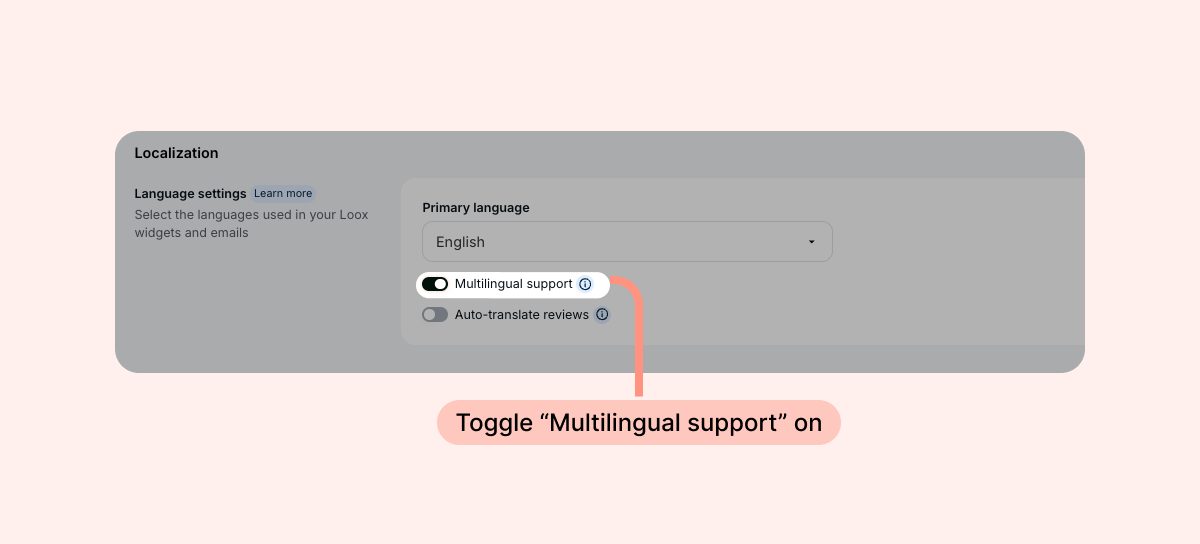
- Within "Settings״, go to "General - Localization".
- Toggle "Multilingual support" on.
To adjust your email text in a specific language
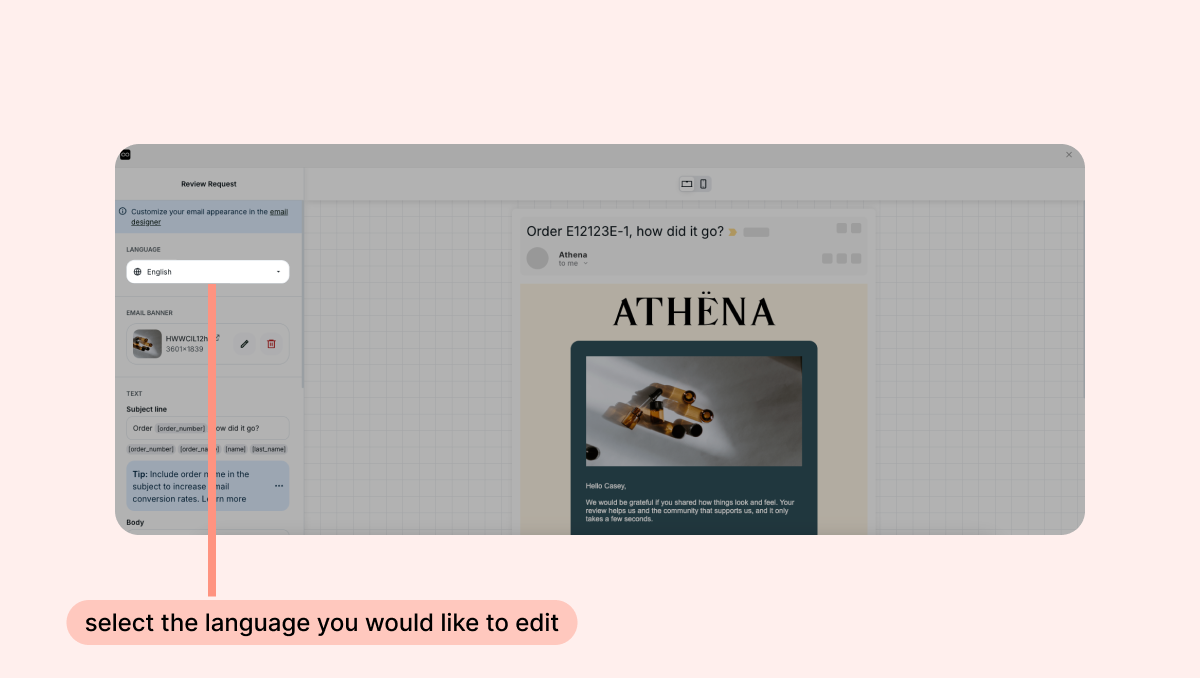
- Within "Collect Reviews", go to "Emails and scheduling".
- Find the email you'd like to edit, and click "Edit".
- Inside the email editor, open the “Language” dropdown and select the language you would like to edit.
To adjust your Reviews Widget default text in a specific language
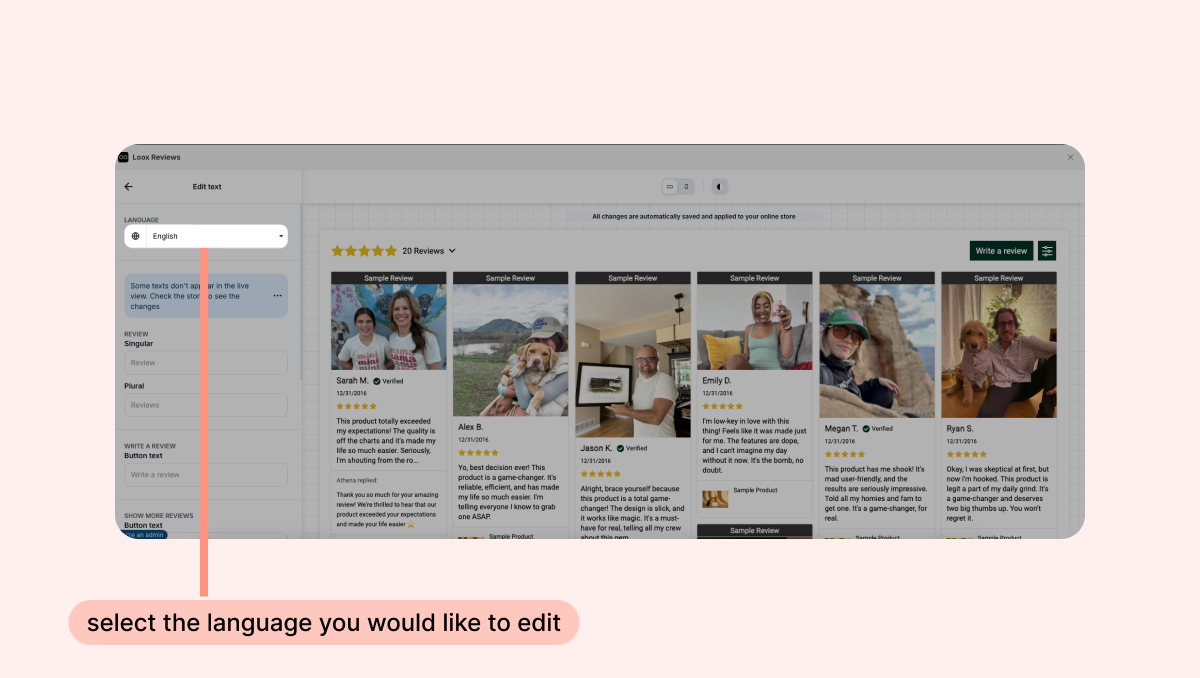
- Open your Reviews Widget editor.
- Open the “Language” dropdown and select the language you would like to edit.
FAQs
Can I enable both Auto-Translate and Multilingual Support?
Yes! When both Auto-Translate Reviews and Multilingual Support are enabled, Loox elements and review content will appear in the language the customer selects on your storefront.
Does Multilingual Support translate customer reviews?
No, Multilingual Support only translates Loox elements like widgets, texts, buttons, emails, and review forms. Customer reviews remain in their original language unless Auto-translate reviews is enabled.