
Loox uses two tools to help you manage negative feedback: a dedicated flow for low ratings and an option to postpone review reminders for customers who haven’t received their order yet.
These tools shape when and how feedback is collected, so reviews better reflect the full customer experience.
This article explains how the tools work, what customers see, and how they support better review outcomes for your store.
The low rating flow (for 1-2 star ratings)
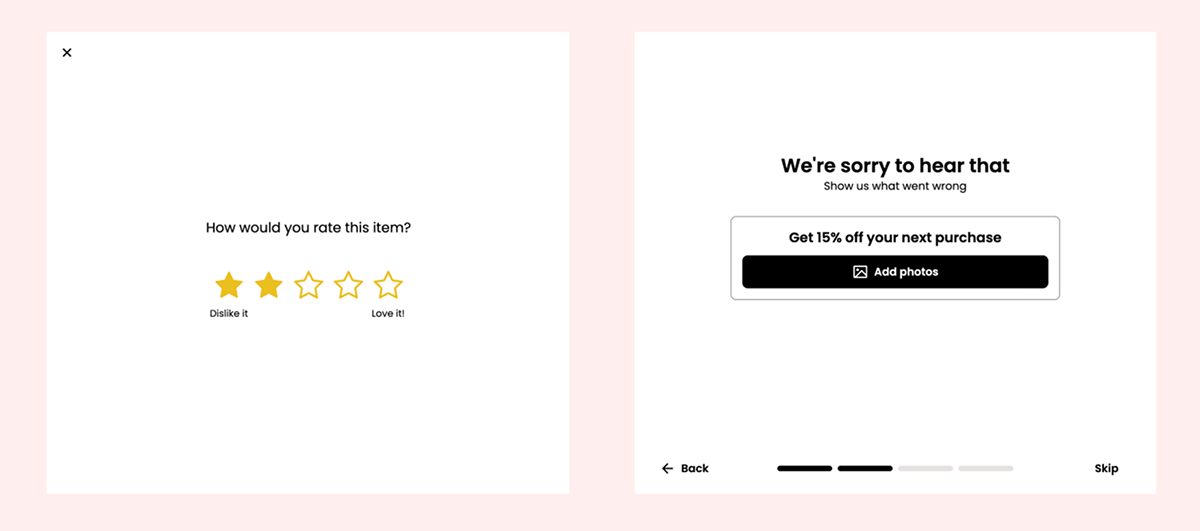
When a customer selects 1 or 2 stars on the Loox review form, they see more empathetic texts that focus on understanding the issue.
Key changes in this flow include:
- Tone shift: The review text focuses on feedback
- No confetti: No celebratory animations at the end of review submission
- No post-review flows: No prompts to review more products or refer friends
- No visual review reminders: Photo/video reminder emails are disabled
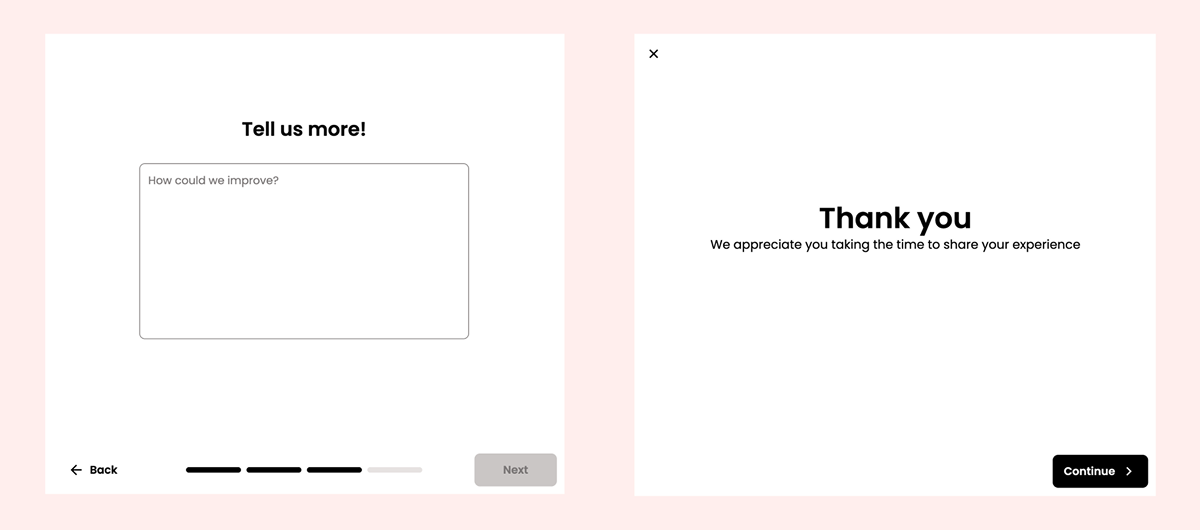
Note: The text shown in this dedicated flow can’t be edited at the moment. You can find the text below:
Let customers postpone the reminder email if their order hasn’t arrived yet
Negative reviews often happen when customers are asked to review before their order arrives. This postpone button helps you reduce low ratings caused by shipping delays by allowing customers to postpone reminders and giving them space to review after they actually receive their order.
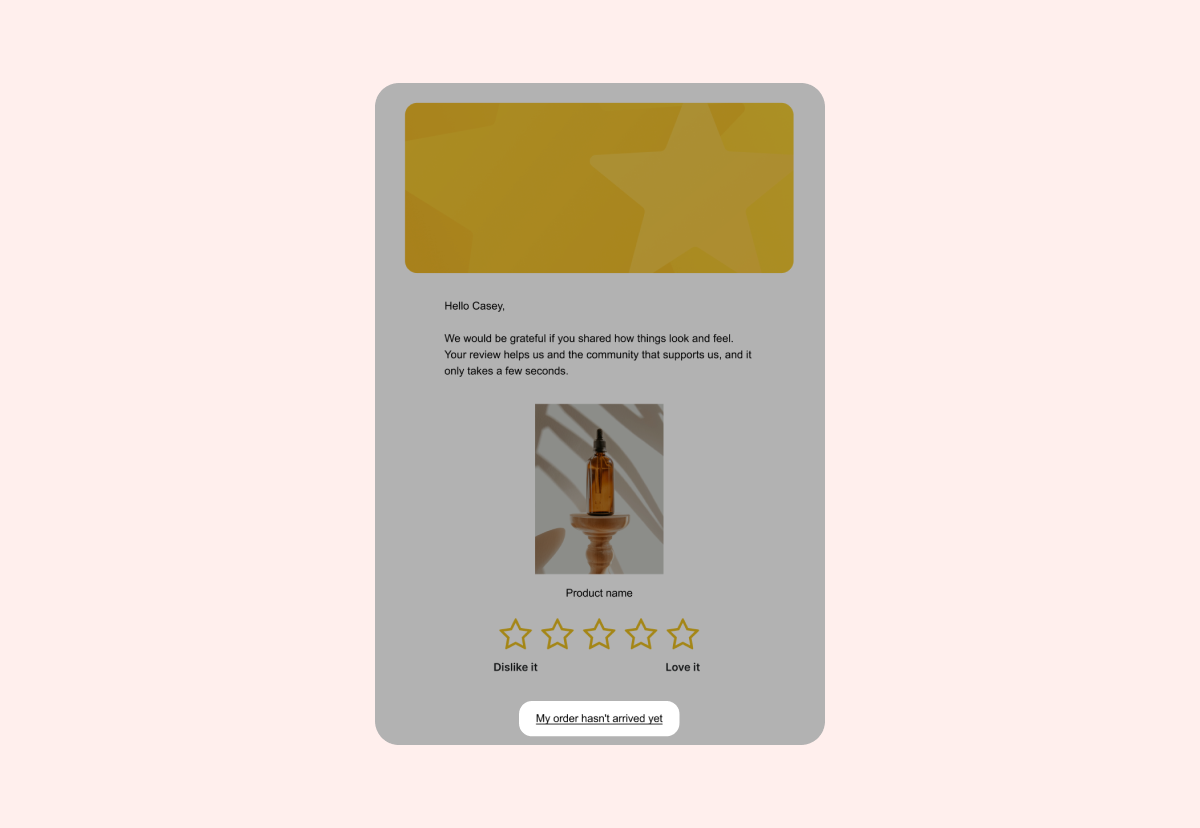
Customers who haven’t received their order yet can postpone the next review reminder from the review request email or from the review form.
When they choose this option, Loox reschedules the next reminder for 7 days from that moment. This gives deliveries time to arrive before you ask for feedback.
How this helps your store
- Fewer reviews driven by shipping delays
- Less frustration from customers still waiting for their order
- More accurate ratings once customers can actually use the product
Note: This feature is only available if your review request reminders are turned on.
To edit the text of the postpone review request button:
- Open your Review request email editor.
- Edit the “Postpone review request button” text.
- Click Save.
To disable the option to postpone review reminders:
- In your Loox admin, go to Collect reviews > Emails & Scheduling.
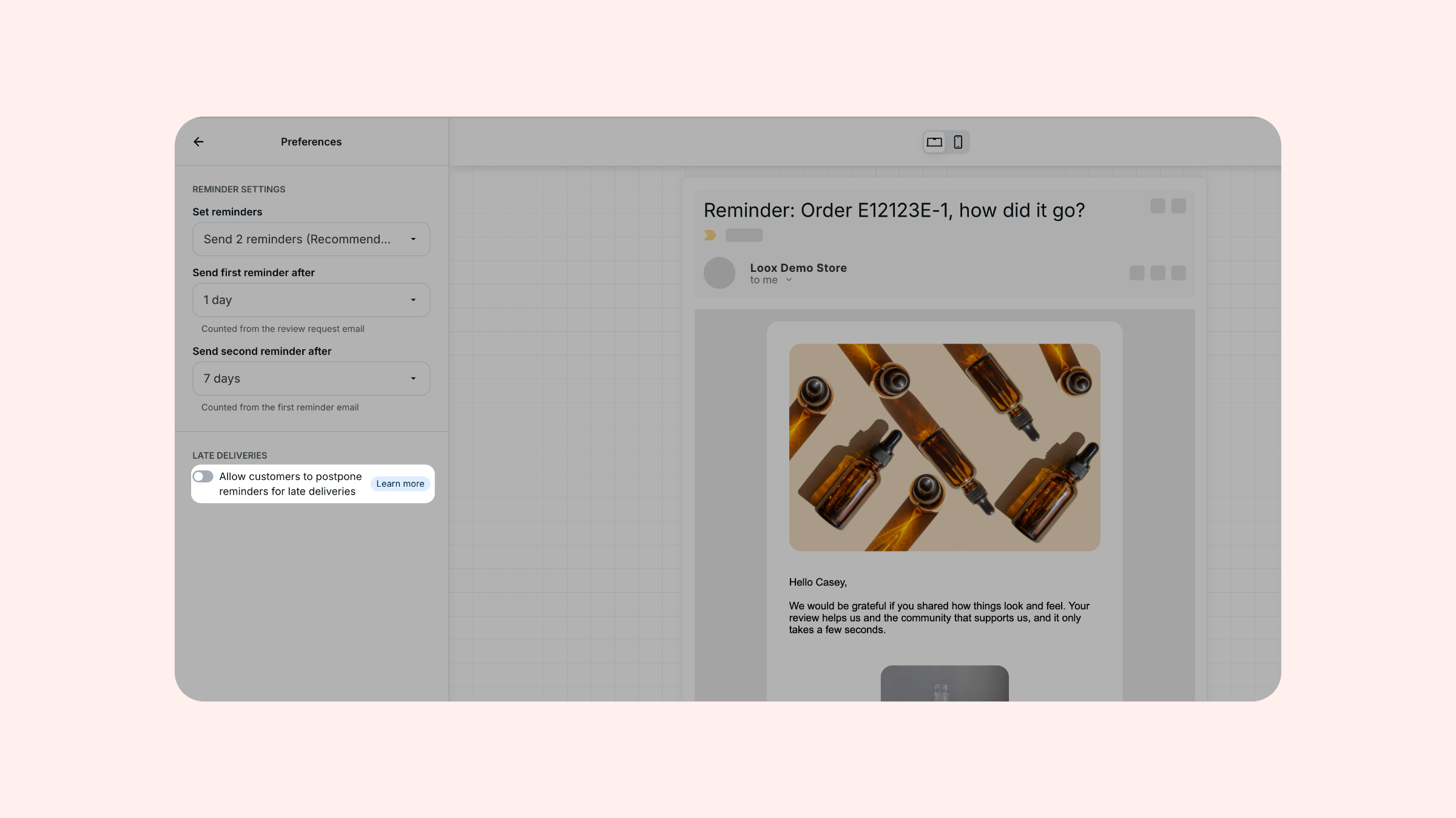
- Next to Review request reminder, click Edit, then open Preferences.
- Under Late deliveries, turn off Allow customers to postpone reminders for late deliveries.
Tracking postponed review reminders
- You can track postponed reminders under your “Review requests” tab. Filter by “Postponed” to see all postponed reminders.
FAQs
Q: Can I customize the text shown for negative reviews on the review form?
A: No. The 1-2 star flow uses fixed copy to keep the experience consistent. You can customize text for 3 stars and above directly through the review form editor. If you’d like to make specific changes, please contact our support team at [email protected].
Q: Will customers be able to leave a store review after submitting a 1-2 star product review?
A: Yes. Store reviews will remain available, regardless of rating.
Q: Do customers still get a media discount for 1-2 star reviews?
A: Yes. Photo/video discounts still apply due to legal requirements.
If you have more questions, contact our Support team. We’re available 24/7 and happy to help!