To find a product's ID, follow the steps below:
- Go to the Products tab of your Shopify admin.
- Click the product whose ID you would like to find.
- The product's ID is the series of numbers that are the last part of this page's URL:
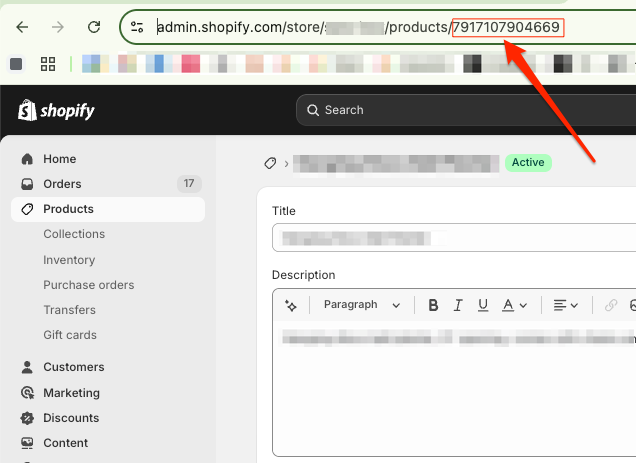
To find a product's ID, follow the steps below:
Was this article helpful?
That’s Great!
Thank you for your feedback
Sorry! We couldn't be helpful
Thank you for your feedback
Feedback sent
We appreciate your effort and will try to fix the article