
Automatically translate the reviews displayed on your Loox widgets using our built-in integration with Weglot.
Once enabled, all reviews displayed on the Reviews Widget, Cards Carousel and Testimonials Carousel Widgets will be automatically translated to match the user’s selected language.
The Loox + Weglot integration is available on the Convert Plan and up. Click here to upgrade your plan.
To automatically translate your reviews using Weglot:
- Install both Loox and Weglot on your store.
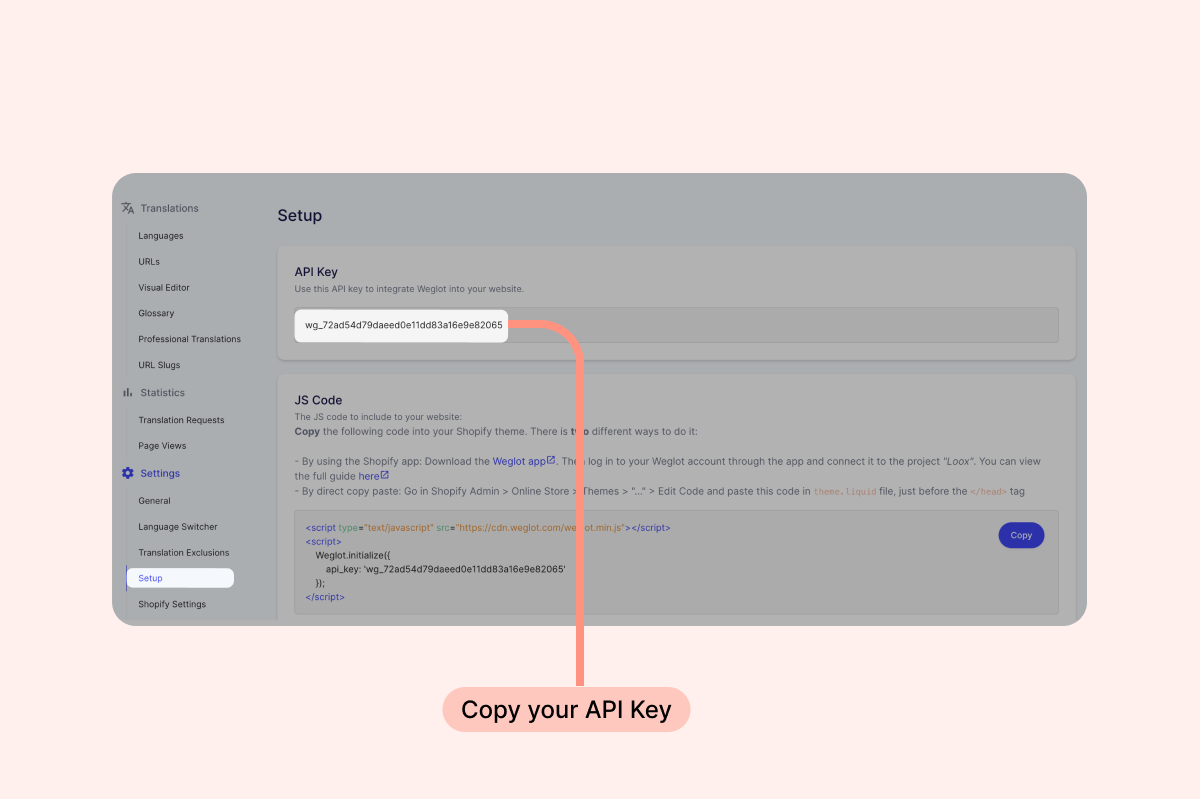
- In your Weglot Project settings, enter the “Setup” sub-menu.
Copy your project’s API key under “API Key”
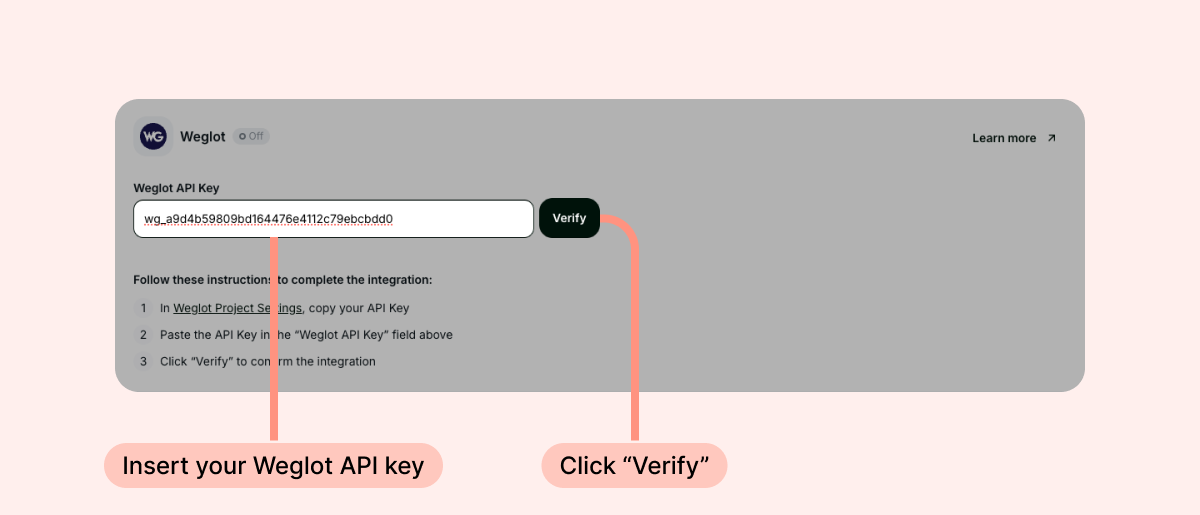
- In the Loox app's "Settings - Integrations" menu, go to "Weglot" and click "Manage".
- Insert your Weglot API key and click "Verify".
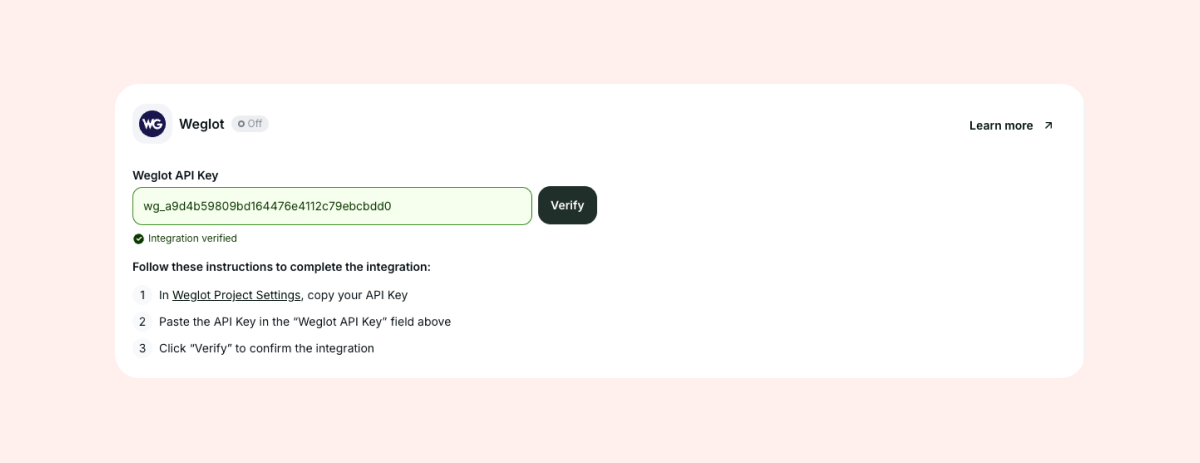
- A confirmation that the API key is valid will appear, and your Weglot account will be successfully integrated with Loox.
Your reviews will now be translated to match each user’s selected language. If Loox's automatic translation is turned on, it overrides Weglot.
Note: If you don't see the translated text of your reviews, check Weglot's troubleshooting guide.
If you have any questions, feel free to contact our Support team at [email protected].