
Encourage customers who submitted a text-only review to add a photo or a video to their review.
By default, Photo/video reminder emails are sent 3 days after a customer submits a text-only review, and you can change this to anywhere from 1 to 30 days. Because we believe in the power of photo and video reviews, we offer these emails for free.
Customizing your Photo/Video Reminder Emails
To customize and personalize your email’s content:
- In your Loox admin, go to Collect reviews > Emails & Scheduling.
- Next to Photo/video reminder, click Edit, then open Text & Style.
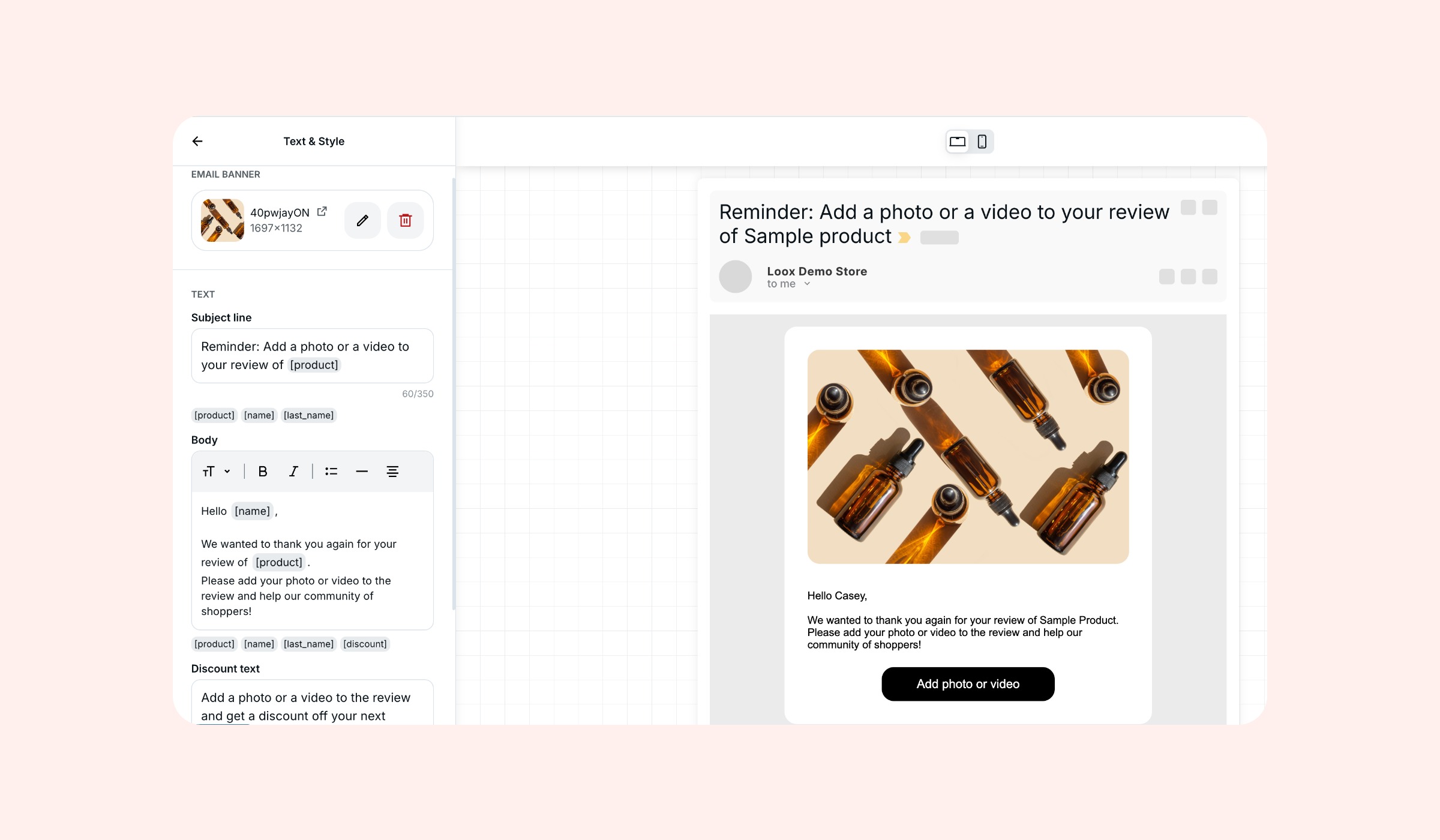
Customize your email’s text and banner to meet your brand’s needs. You can customize the email body's look with headers, font sizes, bold and italics, bulleted lists, and dividers.
The available placeholders for Photo/video reminder emails:
- [name] - The customer's first name.
- [last_name] - The customer's last name.
- [order_number] - The customer's order number.
- [order_name] - The customer's order name (including its prefix and suffix if added).
- [product] - The name of the reviewed product.
- [discount] - The discount incentive offered.
Choose who gets the reminder and when
- In your Loox admin, go to Collect reviews > Emails & Scheduling.
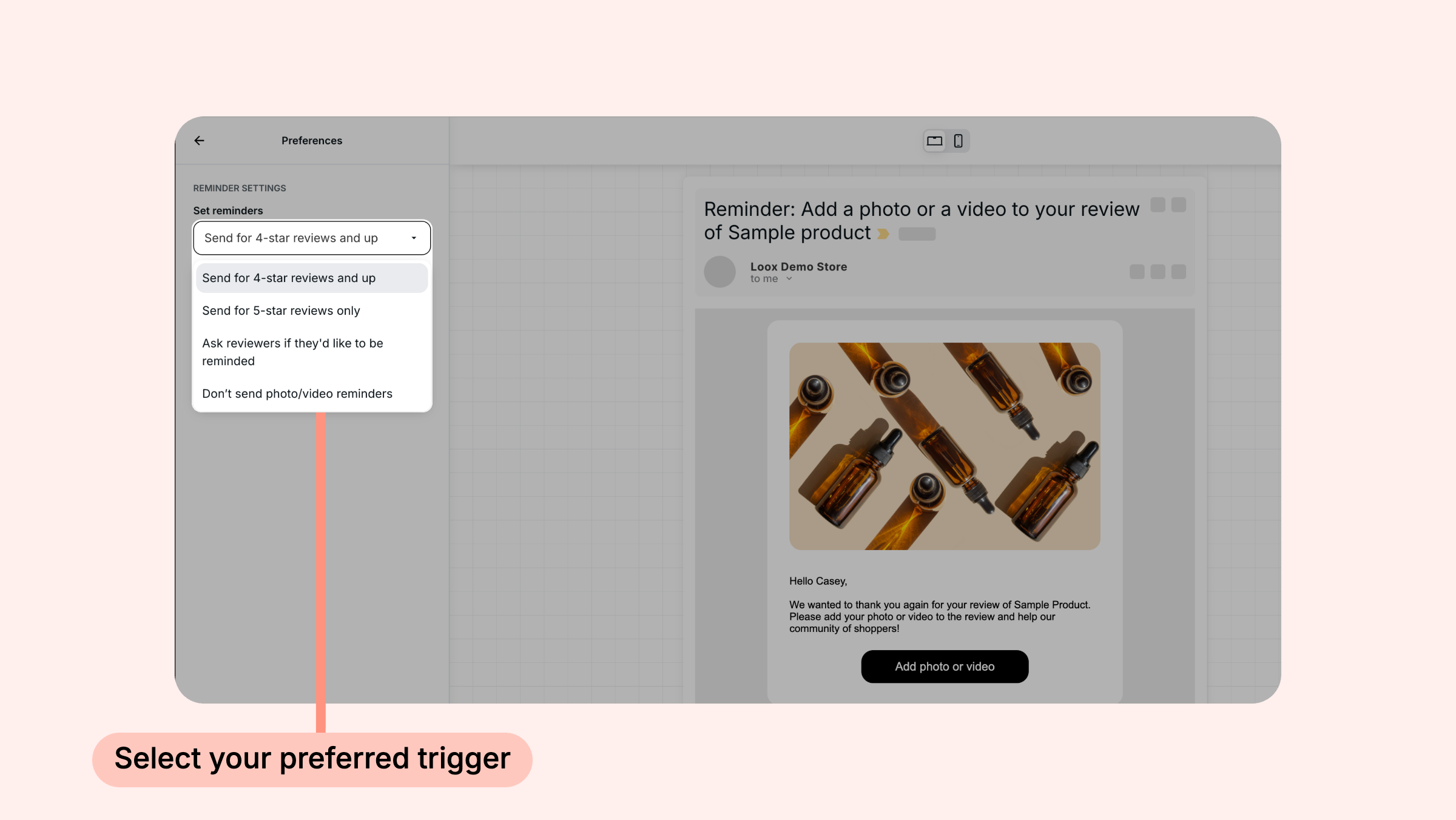
- Next to Photo/video reminder, click Edit, then open Preferences.
- Under Set reminders, choose which reviewers receive the reminder.
- Under Send reminder after, choose how many days after the text review is submitted the reminder is sent.
- Click Save.
Note: Photo/video reminder emails are only sent to customers who submitted reviews through the automated Loox review request flow. Customers who submitted a text review through the "Write a review" button on the Reviews Widget don't receive this email.
Good to know
- One reminder per review. Each review receives one photo/video reminder
- No reminder if media is already added. If a customer adds a photo or video before the reminder is due, the reminder isn't sent
If you have more questions, contact our Support team. We’re available 24/7 and happy to help!